Quick Answer: Starting freelancing with AI tools means choosing a service you can offer (like writing, design, or customer support), using free or low-cost AI software to do the work faster, and selling those services on platforms like Fiverr or Upwork. Beginners can realistically earn $300–$1,500/month within their first 60–90 days by starting small, building a portfolio, and staying consistent.
Key Takeaways
- AI tools like ChatGPT, Canva AI, and Jasper let beginners offer professional-quality services without years of experience.
- The best freelance niches for AI beginners include content writing, social media management, graphic design, and video editing.
- Free platforms like Fiverr, Upwork, and Freelancer.com are the fastest ways to find paying clients.
- A beginner can start with zero investment using free tiers of most AI tools.
- Building even a small portfolio of 3–5 sample projects dramatically increases client trust and conversion rates.
- Pricing too low is one of the most common beginner mistakes — start at fair market rates, not rock-bottom ones.
- Consistency matters more than perfection in the first 90 days.
- AI tools speed up your workflow, but communication and reliability are what keep clients coming back.
What Is AI-Powered Freelancing and Who Is It For?
AI-powered freelancing means using artificial intelligence tools to deliver services to clients faster, at higher quality, and with less prior experience than traditional freelancing requires. Instead of spending years mastering copywriting or graphic design from scratch, a beginner can use AI to produce solid work from day one.
This approach works well for:
- Complete beginners with no freelance history
- Side hustlers who want extra income without quitting their day job
- Stay-at-home parents looking for flexible, remote work
- Students who want to build income while studying
- Career changers who want to test a new field with low risk
It’s not ideal for someone who wants passive income with zero effort. Freelancing, even with AI assistance, still requires consistent work, client communication, and ongoing learning.
Why AI Tools Give Beginners a Real Advantage in 2026
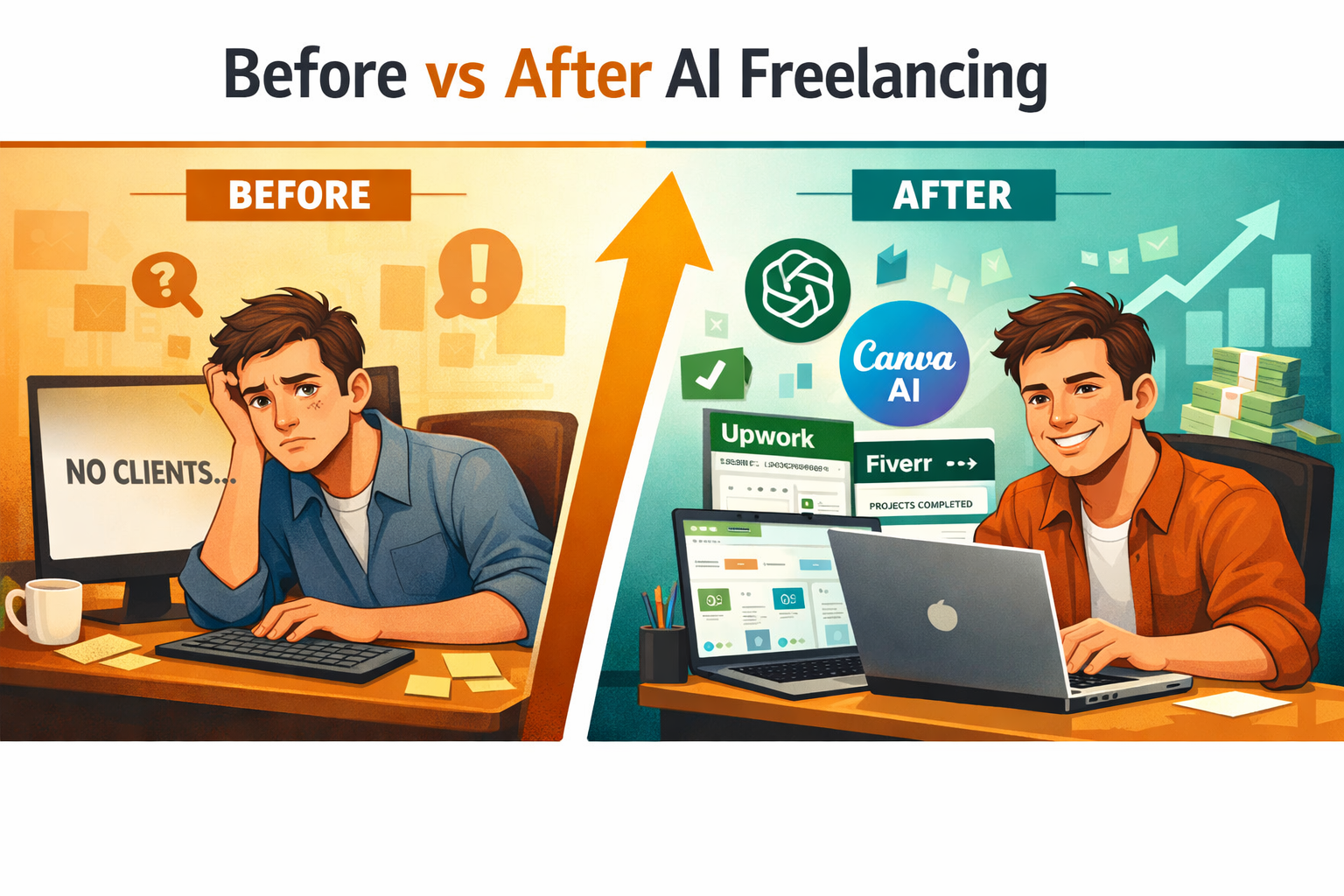
AI tools have genuinely changed what a beginner can accomplish. A new freelancer using AI can now compete with experienced professionals on speed and output quality, which was nearly impossible five years ago.
Here’s why that matters practically:
- Faster turnaround: AI writing tools can draft a 1,000-word blog post in under two minutes. A freelancer can then edit and deliver it the same day.
- Lower skill barrier: Tools like Canva AI generate design layouts automatically. A beginner doesn’t need to know Photoshop.
- Higher volume: More output per hour means more clients served, which means more income.
- Consistent quality: AI helps catch grammar errors, maintain tone, and structure content properly.
💡 The real advantage isn’t replacing skill — it’s compressing the learning curve so beginners can earn while they learn.
Which AI Tools Should Beginners Use?
The best starting tools are free or low-cost, cover multiple use cases, and have simple interfaces. Here’s a practical breakdown:
| Tool | Best For | Free Plan? | Paid Plan Starts At |
|---|---|---|---|
| ChatGPT | Writing, emails, scripts, research | Yes | ~$20/month |
| Canva AI | Graphics, social media posts, presentations | Yes | ~$15/month |
| Jasper | Marketing copy, blog posts | No (trial only) | ~$39/month |
| Otter.ai | Transcription, meeting notes | Yes | ~$17/month |
| Descript | Video/audio editing, podcasts | Yes | ~$24/month |
| Copy.ai | Ad copy, product descriptions | Yes | ~$49/month |
| Midjourney | AI image generation | No | ~$10/month |
Start with ChatGPT and Canva AI. Both have generous free tiers and cover the two most in-demand freelance services: writing and design. Upgrade only when a paid feature directly increases what you can charge.
What Freelance Services Can Beginners Offer Using AI?
Beginners using AI tools can realistically offer these services from day one, with no prior professional experience:
Writing and Content
- Blog posts and articles
- Email newsletters
- Product descriptions for e-commerce stores
- Social media captions
Design and Visuals
- Social media graphics (Instagram, LinkedIn, Facebook)
- Simple logo concepts
- Presentation slides
- YouTube thumbnails
Admin and Support
- Transcription services
- Data entry and summarization
- Customer email drafting
- Research reports
Video and Audio
- Podcast editing
- Short-form video captions and subtitles
- Script writing for YouTube creators
Choose one service to start. Trying to offer everything at once leads to a weak profile and confused clients. Pick the service that matches your existing interests, even loosely, and build from there.
How to Start Freelancing With AI Tools: A Step-by-Step Beginner Guide
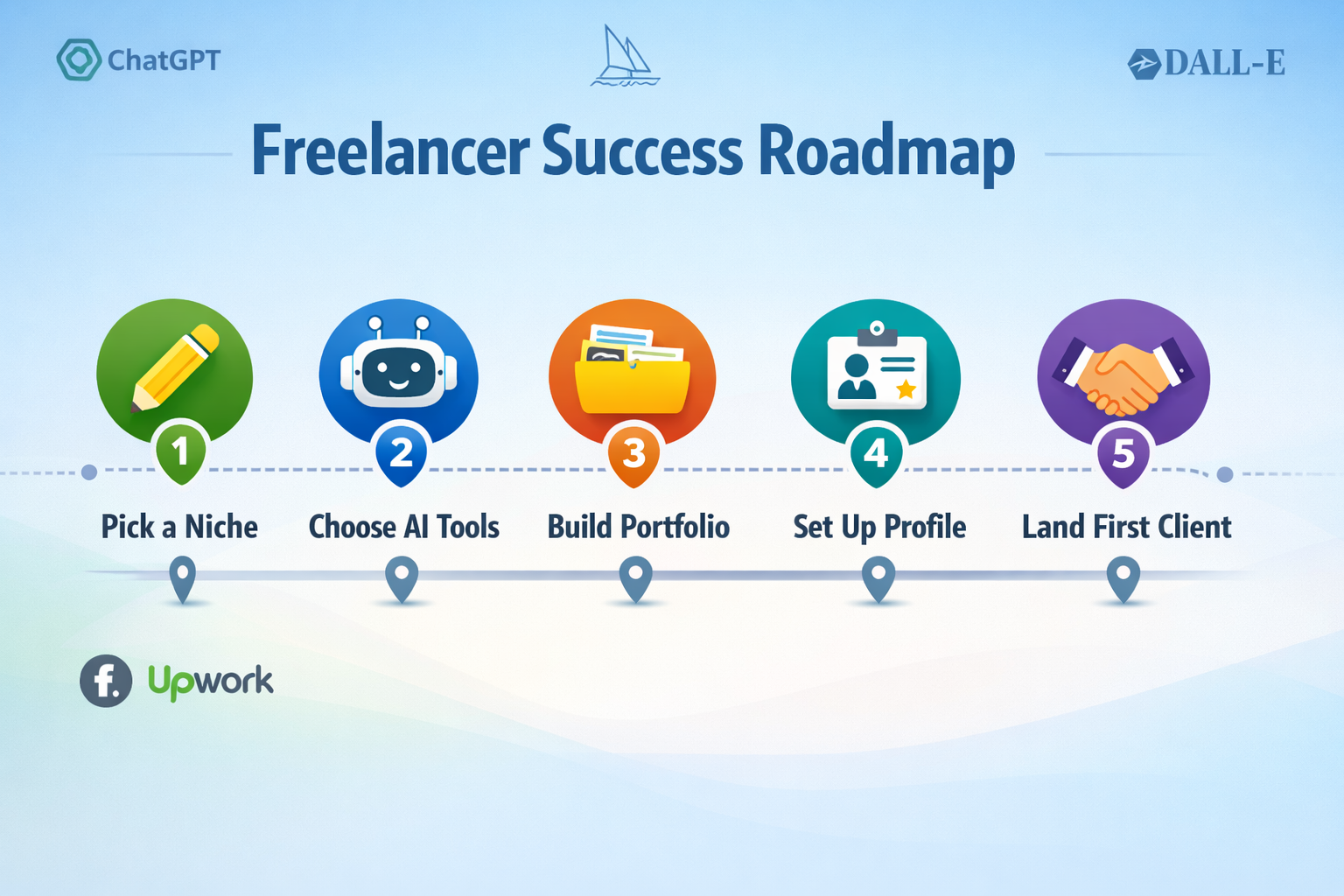
This is the core of the How to Start Freelancing With AI Tools (Beginner Guide) — a clear, numbered process that takes a complete beginner from zero to first paid client.
Step 1: Pick One Niche and One Service
Don’t generalize. Choose one specific service for one specific type of client. For example: “I write blog posts for small e-commerce brands” is stronger than “I do writing.”
Step 2: Set Up Your AI Toolkit
Download and create free accounts on the tools relevant to your service. For writers: ChatGPT + Grammarly. For designers: Canva AI. For video editors: Descript. Keep it simple.
Step 3: Create 3–5 Portfolio Samples
Clients won’t hire someone with no examples. Create fake-but-realistic samples. Write a blog post for a made-up brand. Design a social media graphic for a fictional coffee shop. These samples prove you can do the work.
Step 4: Create a Profile on One Freelance Platform
Start with Fiverr (great for beginners because clients come to you) or Upwork (better for slightly higher rates but requires more active bidding). Fill out your profile completely, use a real photo, and write a clear description of what you offer.
Step 5: Set Competitive Starter Rates
Research what others charge for the same service. As a beginner, price slightly below the mid-range — not at the bottom. Extremely low prices attract difficult clients and signal low quality.
A rough starting guide (estimates based on 2026 market rates on Fiverr/Upwork):
- Blog post (800–1,000 words): $25–$60
- Social media graphic pack (5 posts): $30–$75
- Transcription (per audio hour): $20–$40
- Email newsletter: $30–$80
Step 6: Apply or Publish and Follow Up Consistently
On Upwork, send 5–10 tailored proposals per day. On Fiverr, optimize your gig title and tags for search. Respond to every inquiry within one hour when possible. Speed of response is one of the biggest factors in winning early clients.
Step 7: Deliver, Get a Review, Repeat
Your first goal isn’t maximum profit — it’s a 5-star review. Overdeliver slightly on your first 3–5 jobs. A strong review history compounds quickly and brings in more clients organically.
How Much Can Beginners Realistically Earn?
Income expectations should be honest, not hyped. Here’s a realistic timeline for a beginner who puts in consistent effort (roughly 10–15 hours per week):
- Month 1: $0–$300 (building profile, landing first 1–3 clients)
- Month 2: $300–$800 (repeat clients, more reviews, faster workflow)
- Month 3: $800–$1,500+ (referrals, rate increases, repeat business)
Full-time freelancers using AI tools can earn significantly more over time, but those numbers depend on niche, platform, and hours invested. Treat the first 90 days as a learning phase, not a get-rich-quick window.
Common Mistakes Beginners Make (and How to Avoid Them)
Even with great AI tools, these mistakes slow down progress:
Offering too many services at once. A scattered profile confuses clients. Stick to one service until you have consistent income.
Relying on AI output without editing. AI-generated content needs a human review. Raw AI output often sounds generic and can contain factual errors. Always edit before delivering.
Underpricing to get clients fast. This attracts low-quality clients who demand more for less. Start at fair rates and let your portfolio justify them.
Ignoring client communication. Responsiveness and clarity matter as much as the work itself. Clients hire people they trust, not just people who can do the task.
Giving up after the first slow week. Most beginners see little traction in week one. Momentum builds after the first few reviews.
How to Start Freelancing With AI Tools: Frequently Asked Questions
Q: Do I need any experience to start freelancing with AI tools?
No prior professional experience is required. AI tools lower the skill barrier significantly. What matters more is reliability, communication, and a willingness to learn from feedback.
Q: Which platform is best for a complete beginner — Fiverr or Upwork?
Fiverr is generally easier for beginners because clients search for and find you, rather than you having to pitch constantly. Upwork can offer higher rates but requires more active proposal writing.
Q: How long does it take to get the first client?
Most beginners land their first client within 2–4 weeks if they publish a complete profile, create sample work, and apply or optimize consistently. Some get their first job within days.
Q: Can I use AI tools for free when starting out?
Yes. ChatGPT, Canva AI, Grammarly, and Otter.ai all have usable free tiers. A beginner can start earning before spending a dollar on tools.
Q: Is it ethical to use AI tools when freelancing?
Yes, as long as you’re transparent when clients ask and you deliver quality work. Most clients care about results, not the method. Always check if a client has specific restrictions (some content clients prohibit AI-generated text).
Q: What’s the fastest service to start earning with as a beginner?
Transcription and social media caption writing tend to have the lowest skill barrier and fastest turnaround, making them good starting points for earning quickly.
Q: How do I handle a client who isn’t happy with AI-assisted work?
Offer a revision first. Most issues come from misaligned expectations, so ask clarifying questions upfront before starting any project. A clear brief prevents most disputes.
Q: Do I need to tell clients I use AI tools?
There’s no universal rule, but honesty is the safest policy. If a client asks directly, be honest. If a client’s brief says “no AI,” respect that or decline the job.
Q: Can I freelance part-time while working a regular job?
Absolutely. Many successful freelancers start part-time, working evenings or weekends. AI tools make this more manageable because they reduce the time needed per project.
Q: What’s the single most important thing to focus on in the first month?
Getting your first review. One verified 5-star review on Fiverr or Upwork does more for your profile than any amount of profile optimization.
Conclusion: Your Next Steps to Start Freelancing With AI Tools
The How to Start Freelancing With AI Tools (Beginner Guide) comes down to a simple sequence: pick one service, use AI tools to deliver it well, build a small portfolio, and get your first client on a platform like Fiverr or Upwork.
The technology is accessible, the startup cost is low (often zero), and the demand for AI-assisted freelance services continues to grow in 2026. The main barrier isn’t skill or money — it’s taking the first step and staying consistent through the slow early weeks.
Here’s what to do today:
- Choose one freelance service that interests you.
- Create a free account on ChatGPT and Canva AI.
- Build three sample projects this week.
- Set up a Fiverr or Upwork profile by the weekend.
- Send your first proposal or publish your first gig.
The freelancers who succeed aren’t necessarily the most talented — they’re the ones who start, adjust, and keep going. With AI tools in your corner, starting has never been more practical.